

Agencies
Onboard and manage your clients from the agency dashboard.
Find Your Way Around the Agency Dashboard
What each part of the dashboard shows and what the client statuses mean.
Table of contents
back
to the top
Where Everything Is
The sidebar has six pages:
- Home: your numbers, your partner code, the client discount and the "Needs attention" list.
- Customers: every client domain you look after, and the sites still waiting for their DNS record.
- Earnings and billing: your partner code, the client discount, how linking works and the Agency Partner Agreement.
- Branding: your agency's logo and colours for your dashboard and your clients' banners. Only agency admins see this page.
- Team: your colleagues and their roles.
- Settings: the Agency Partner Agreement.
The "Partner level" card at the bottom of the sidebar shows your level and how many more paid sites you need for the next one.
On a phone or a small screen, the pages move into a row of tabs under the header and the level card is hidden.
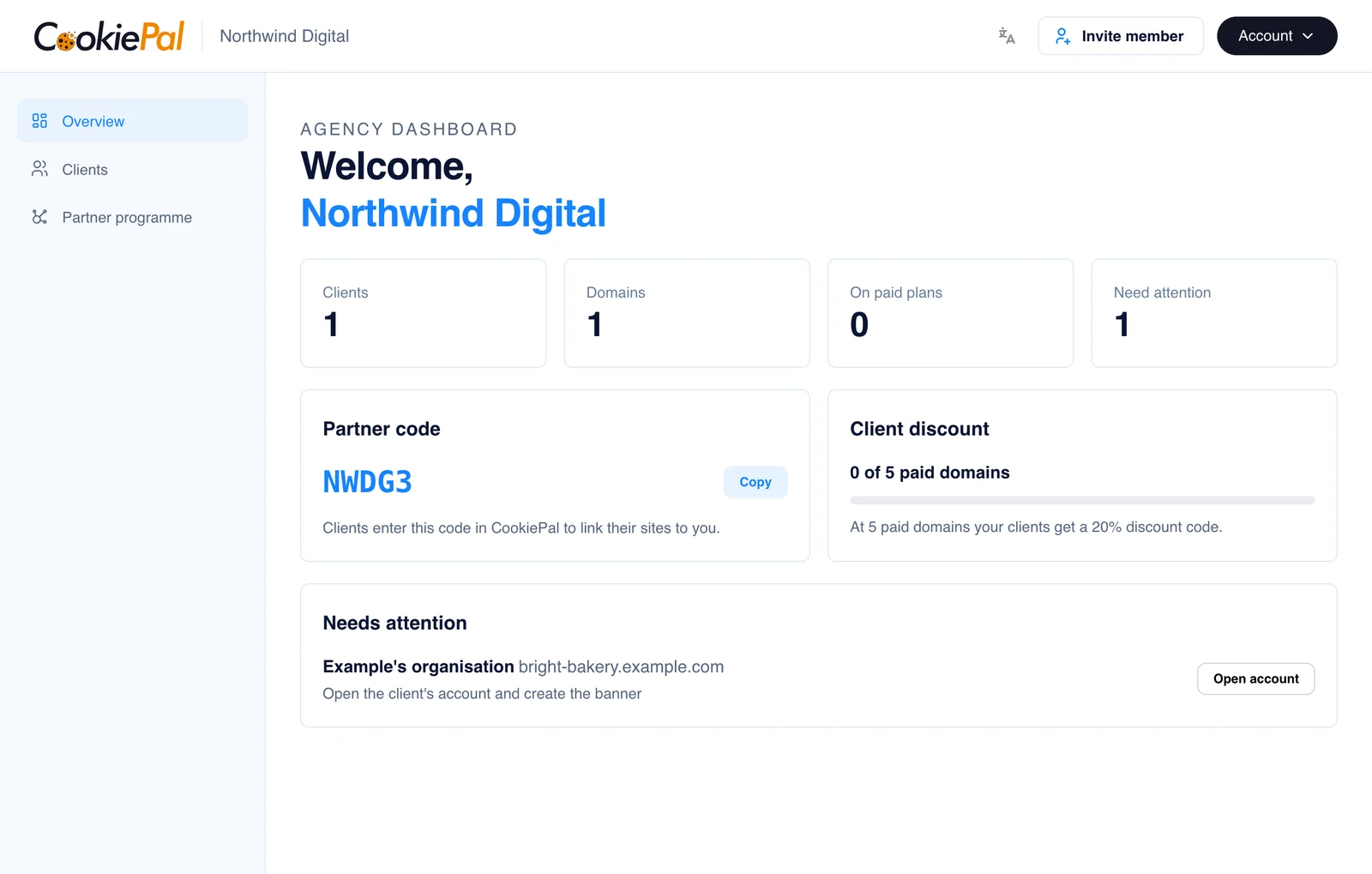
Your Numbers
The four numbers at the top of the "Home" page:
- Clients: the clients linked to your agency.
- Domains: all of their websites.
- On paid plans: the domains on a paid CookiePal plan. These count towards your client discount.
- Need attention: the domains with something to fix.
The Needs Attention List
This list shows every domain where the banner or Google Consent Mode needs work, and what to do next. Click "Open account" on a row to fix it in the client's account. When the list says "Nothing needs your attention right now", every client is set up.

Banner and Consent Mode Statuses
Each domain has a Banner status:
- Live: the banner is installed and working.
- Waiting for verification: we are checking the banner on the site.
- Verification failed: check the snippet is installed, then verify again in the client's account.
- Being set up: finish installing the banner in the client's account.
- Not set up: open the client's account and create the banner.
And a Consent Mode status for Google Consent Mode:
- Active: Google Consent Mode is working.
- Needs fixing: fix the Consent Mode setup in the client's account.
- Off: Google Consent Mode is not turned on for this domain.
For help with the setup, see the Google Consent Mode guides.
Any Questions Left?
Feel free to contact us and we will answer all of yours remaining questions!
Contact Us